Witch the Showdown Controls Guide
Keyboard, gamepad, and mode-switch tips for cleaner parries.
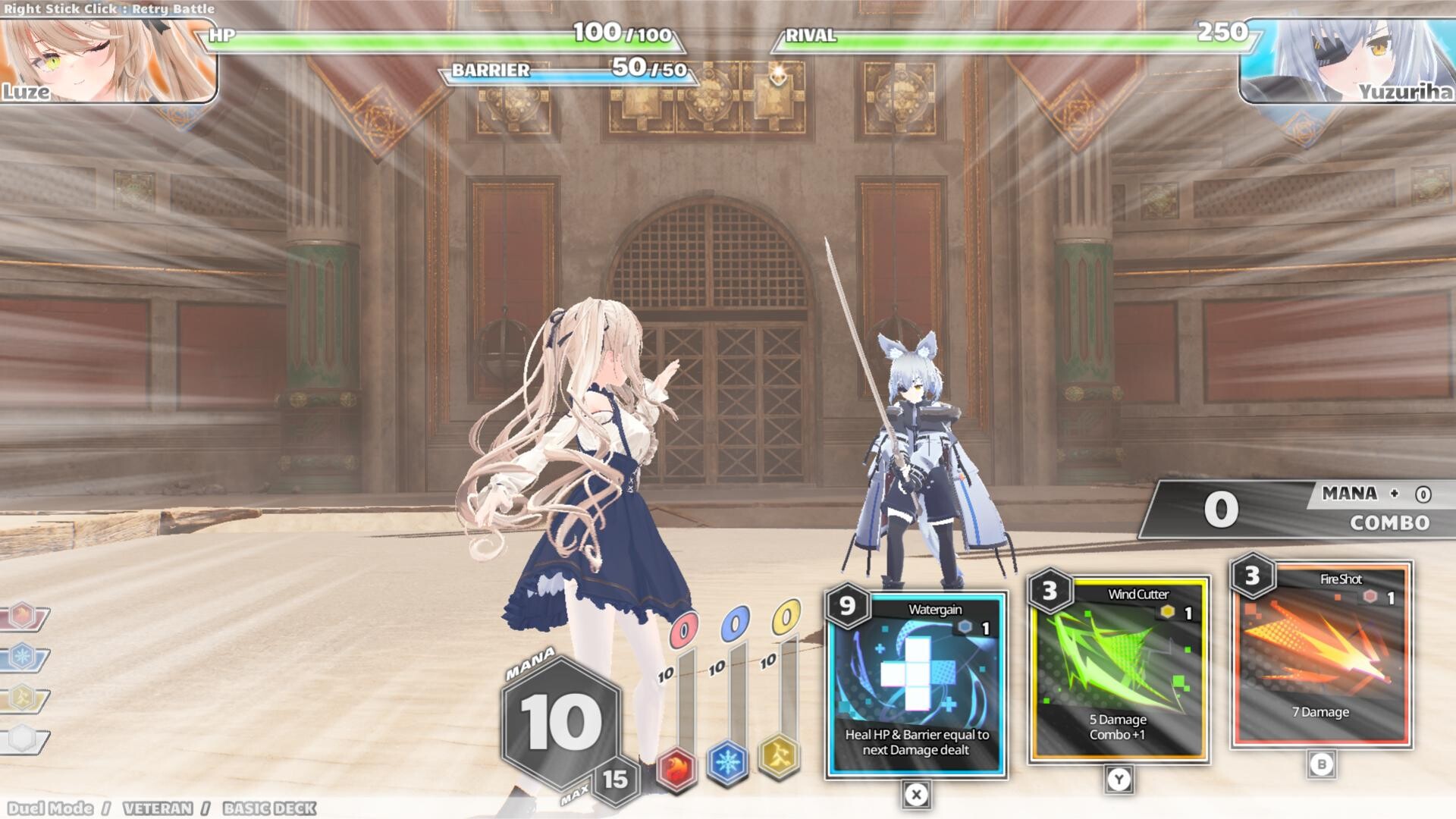
Precision is the whole game. Witch the Showdown converts well-timed defense into Mana, then asks you to spend that Mana on cards while the next boss string is already loading. If your bindings feel wrong, every tier list and deck guide on this wiki becomes trivia. This page documents the practical Early Access control scheme players learn from demos and launch builds—W for guard/parry, ASD for directional dodges, plus card activation—and how to make those inputs trustworthy on keyboard or pad.
Confirm your layout in-game if a patch remaps defaults, then return here for the decision rules around when to guard versus dodge.
Keyboard essentials
| Input | Action | When to use |
|---|---|---|
| W | Guard / parry | Face incoming hits you can time; successful parries are your best Mana source |
| A / S / D | Dodge directions | Escape linear or side-marked attacks; match the tell (some mage patterns telegraph direction) |
| Card activation keys | Play a hand card | Only when Mana and the animation window allow—greed loses runs |
| Movement (as bound) | Reposition | Tiny adjustments between strings; do not walk into the next hitbox |
Parry beats panic. Holding guard without timing is not the same as a parried beat. Watch the rival’s windup, tap W on the connect window, and listen for the success feedback. Demo patch notes even called out readability improvements around missed-parry recovery—use that forgiveness to reset, not to mash.
Dodges are directional. A, S, and D are not cosmetic. Certain foes (notably mage-style patterns) cue which side is safe. Dodging the wrong way on Neon is especially punishing because she has no i-frames and no CC—see Neon.
Card activation is the offense button. There is no separate “light attack” that replaces your deck. If Mana is empty, your job is defense until it is not. Read costs before a Tournament final so you are not discovering a brick mid-combo.
Gamepad essentials
Witch the Showdown advertises full controller support on Steam Early Access. Exact face-button labels can vary by device, but the mental model matches keyboard:
- One shoulder/face cluster dedicated to guard/parry (the “W” job).
- Movement stick or d-pad covering directional dodge equivalents (the “ASD” job).
- Face buttons or triggers mapped to card plays and menu confirms.
- A reachable control for Witch Mode Switch between real-time and turn-based.
Sit in the in-game settings screen and test each action before a ranked climb. Controllers shine when you need analog nuance; keyboards shine when you want discrete directional taps. Pick one primary device for muscle memory.
Real-time vs turn-based (Witch Mode Switch)
Early Access includes a Witch Mode Switch between real-time and turn-based combat:
- Real-time is the headline rhythm fantasy—strings flow, parries feel musical, and Neon’s rifle payoff sings.
- Turn-based slows the exchange so you can read card text, confirm Mana math, and learn a new rival’s timeline without audiovisual overload.
Neither mode deletes the need for correct directions or timed guards. Turn-based is a learning tool, not a different game. Many players lab a foe in turn-based, then rematch in real-time once the tell is memorized. Details on the defensive economy live in Combat and Parry.
Practice drills (10 minutes)
- Parry only — On Rookie with Luze, refuse card spends for one full fight. Count clean W timings.
- Directional only — Versus a pattern that marks sides, dodge exclusively with A/S/D answers. Reset if you guess wrong.
- Spend gate — Allow a card only after a fully defended string. If you break the rule, restart the drill.
- Mode compare — Repeat the same rival once in turn-based and once in real-time. Note which tells you still miss.
- Neon stress test — After Luze drills feel boring, repeat drill 1 on Neon and notice how missing i-frames changes your patience.
Common input failures
- Mashing W through multi-hits instead of catching each timing.
- Neutral dodging when the cue was left/right.
- Activating a card with partial Mana while a string is mid-animation.
- Swapping devices mid-climb and losing directional muscle memory.
- Blaming the deck when the VOD shows three missed parries.
If losses cluster after a patch, skim the Updates Hub—timing windows do get tuned.
Tie-ins for stronger sessions
- New accounts: Getting Started then this page.
- Deck confusion: Deckbuilding and Card Tier List.
- Burst windows eating your inputs: Elemental Bursts.
- Rank selection: Difficulty.
- Mode structure for long sessions: Tournament Mode.
Accessibility and comfort tips
- Lower difficulty while remapping—never rebind on Master mid-bracket.
- Enable whichever subtitle/UI scale options you need; Japanese full audio is available with English interface/subtitles on Steam.
- Take breaks. Parry games punish fatigue faster than turn-based deckbuilders.
- Keep camera and brightness comfortable so windups stay readable.
Pre-fight checklist
- Device chosen (keyboard or pad)
- W / guard binding tested
- ASD / dodge directions tested
- Card activation tested on a dummy spend
- Witch Mode Switch set intentionally
- Difficulty rank matches today’s goal
- Witch choice matches forgiveness needs (Luze vs Neon)
Return to the Tools Hub for the difficulty companion page, or jump to the Guides Hub once inputs feel invisible.
Frequently Asked Questions
Quick answers for Witch the Showdown players.
What does the W key do?
W is the primary guard/parry input on the common keyboard layout. Time it on incoming hits to generate Mana; do not mash it blindly through whole strings.
What do A, S, and D do in combat?
They cover directional dodges. Match the direction to the attack tell—some foes explicitly cue which side is safe.
Does the game support controllers?
Yes. Steam Early Access lists full controller support. Map guard/parry, directional avoidance, and card plays to comfortable buttons before climbing difficulty.
Should beginners use turn-based mode?
Yes if real-time feels overwhelming. Witch Mode Switch lets you learn patterns and card text, then return to real-time when ready.
Why do my Neon dodges still get hit?
Neon has no i-frames and no CC. Wrong-direction dodges or late timings are fully punished. Lab directions on Luze first, then transfer the skill.
Can I rebind keys?
Use the in-game settings/key configuration screen. Remap on a low difficulty, then re-run the practice drills on this page.